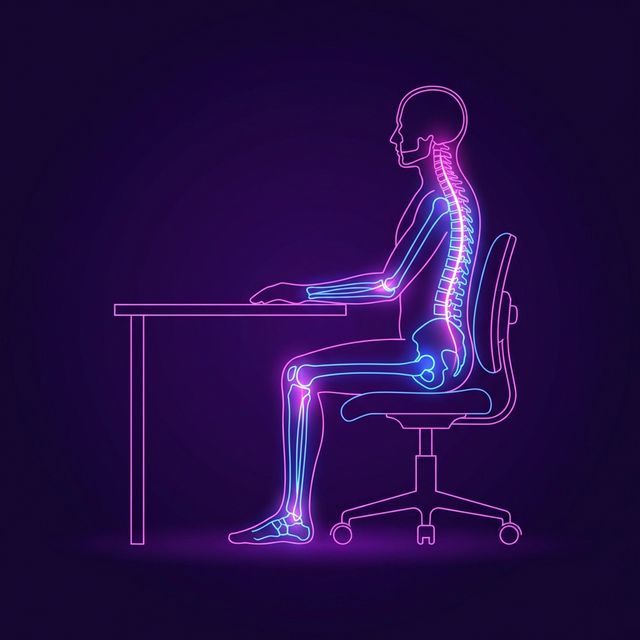
The human body evolved to walk miles a day across savannas. It did not evolve to sit in a Herman Miller Aeron chair for 10 hours a day staring at glowing IDEs.
Because sitting is biologically unnatural, doing it incorrectly causes profound damage to your spine, hips, and neck. If you are experiencing lower back pain after a day of coding, it's a structural failure, not just a muscle ache.
The Physics of the "Developer Hunch"
When you get tired, the natural instinct is to slide your hips forward on your chair, round your lower back, and thrust your neck forward toward the code on your screen. This is the classic "Gamer Posture."
Here is why it destroys you:
1. The Heavy Head Problem
An adult human head weighs about 10-12 pounds. When your neck is aligned perfectly over your spine, the spine holds that weight effortlessly. However, physics dictates that for every inch your head moves forward over your chest (anterior head carriage), it adds an extra 10 pounds of effective weight your neck muscles must support.
If you are leaning three inches toward your screen trying to read terminal output, your neck muscles are straining to hold back nearly 40 pounds of weight for eight hours a day. This causes burning pain in the upper back and tension headaches.
2. The Disc Squeeze
When you sit exactly at 90 degrees with a "flat" lower back (losing the natural curve of your lumbar spine), you squeeze the front edges of the vertebral discs in your lower spine. Over years, this pushes the jelly-like center of the disc backward, potentially leading to a herniated disc and agonizing sciatica.
How to Fix It Immediately
1. Fix Your Monitor Height First
You cannot fix your posture if you are structurally forced to look down. The top bezel of your primary monitor should be horizontally aligned with your eyes when sitting perfectly straight.
2. Recline, Don't Sit Up Straight
The ideal angle for a chair backrest is not 90 degrees (straight up). It is between 100 and 110 degrees. Leaning back slightly transfers much of the gravity acting on your upper body from your spine directly into the backrest of the chair.
3. Keep Your Feet Flat
If your chair is too high, your feet dangle or rest on the "legs" of the chair, putting massive pressure on the back of your thighs and cutting off circulation. Ensure your feet are entirely flat on the floor (or a footrest), with your knees exactly at or slightly below your hips.
Conclusion
Coupling correct posture with proper touch-typing technique (practiced daily on TypeNCode) ensures that an eight-hour coding shift leaves your mind exhausted, but your body pain-free.